Engagement module
Donations
Review giving, find donor history, organize deposits and prepare fundraising reports in one clear workspace.
What it helps your team do
- See giving totals, recent gifts and contributions awaiting a deposit batch.
- Find donors and transactions using shared search, filters and paged lists.
- Record offline gifts in a focused dialog and organize deposit batches.
- Review recurring schedules and campaign progress.
- Prepare giving reports with gross contributions, fees and net receipts.
- Keep higher-risk Stripe maintenance tools limited to Donations managers.
See the workspace
Start with a concise giving summary. Trends have exact figures available, and the same section navigation keeps donor, transaction and deposit work easy to find.
Search gifts, reveal additional filters when needed and select eligible contributions across pages for a deposit batch. Access to recording and export actions follows permissions.
Choose a date range or all time, then refine contributions and comparisons. Refunded gifts are excluded from giving totals while donor information and transaction history remain available.
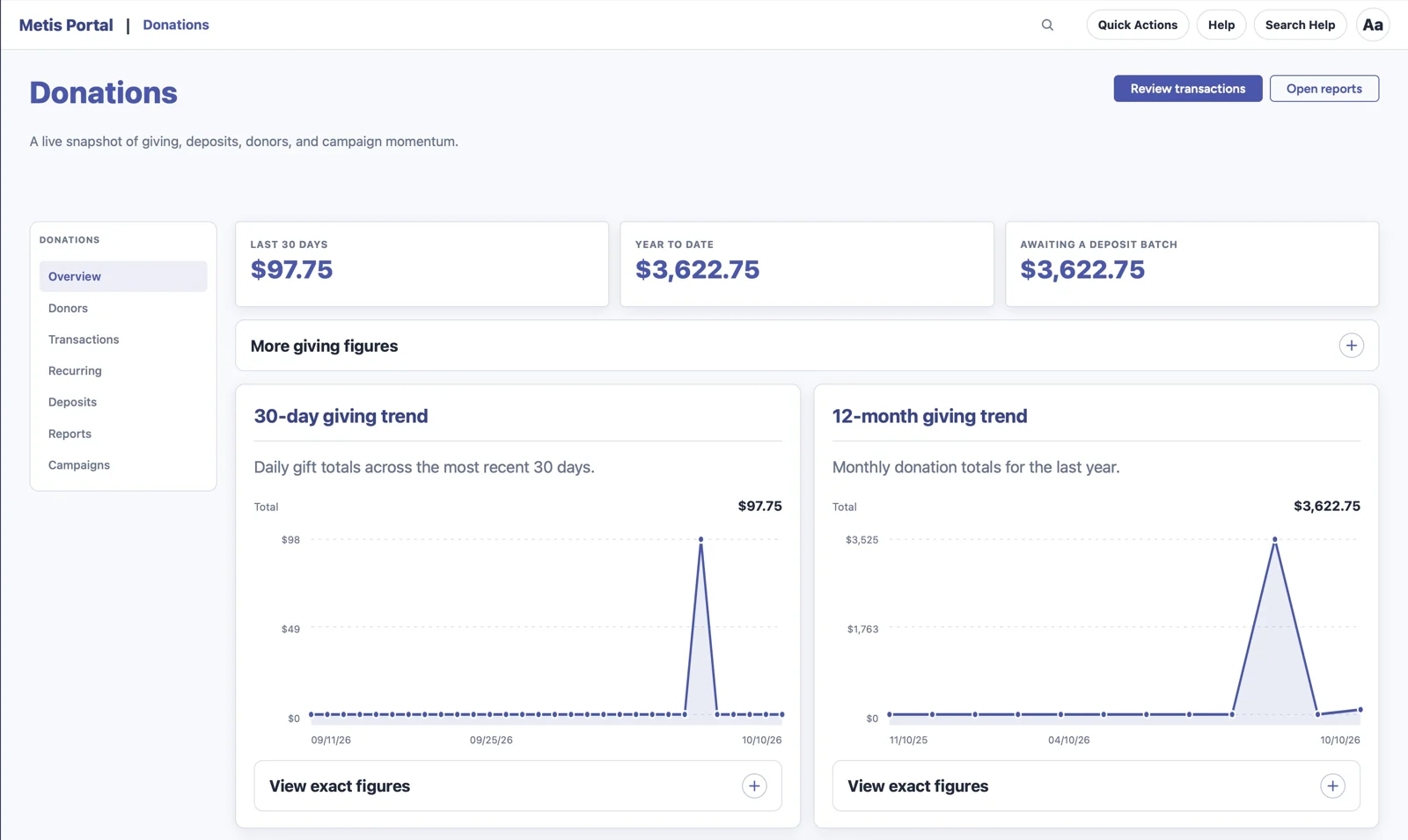
Screenshots show the approved development build with sample records.
Good to know
Donations shares contact context with the platform and uses the shared Kits for controls, feedback and background work. Viewing, editing, exporting and manager tools have separate permission checks. This page describes the approved development revamp; beta users will complete real-provider and broader accessibility acceptance. It does not announce a production release.