Operations module
Finance
A clear place to review money, track invoices and prepare reports—without putting every accounting detail on the first screen.
What it helps your team do
- See the items that need attention, with a concise financial overview.
- Find ledger entries by description, account, date range and review status.
- Review a bank month against one designated bank account and match statement lines.
- Plan income and spending with budget versions and compare the same full period.
- Track invoices, overdue totals, Stripe payouts and total processing fees.
- Prepare dated financial reports, including a balance sheet for review.
See the workspace
Start with what needs attention. Invoices, Stripe payouts, bank review and budgets stay in readable summaries; charts and accounting detail open when needed.
Search descriptions and reveal additional filters when you need them. Paged tables use the same headers, alternating rows and system date formatting as the rest of Metis.
See open and overdue totals together with invoice status, dates and amounts. Create an invoice in a focused dialog, then track its progress.
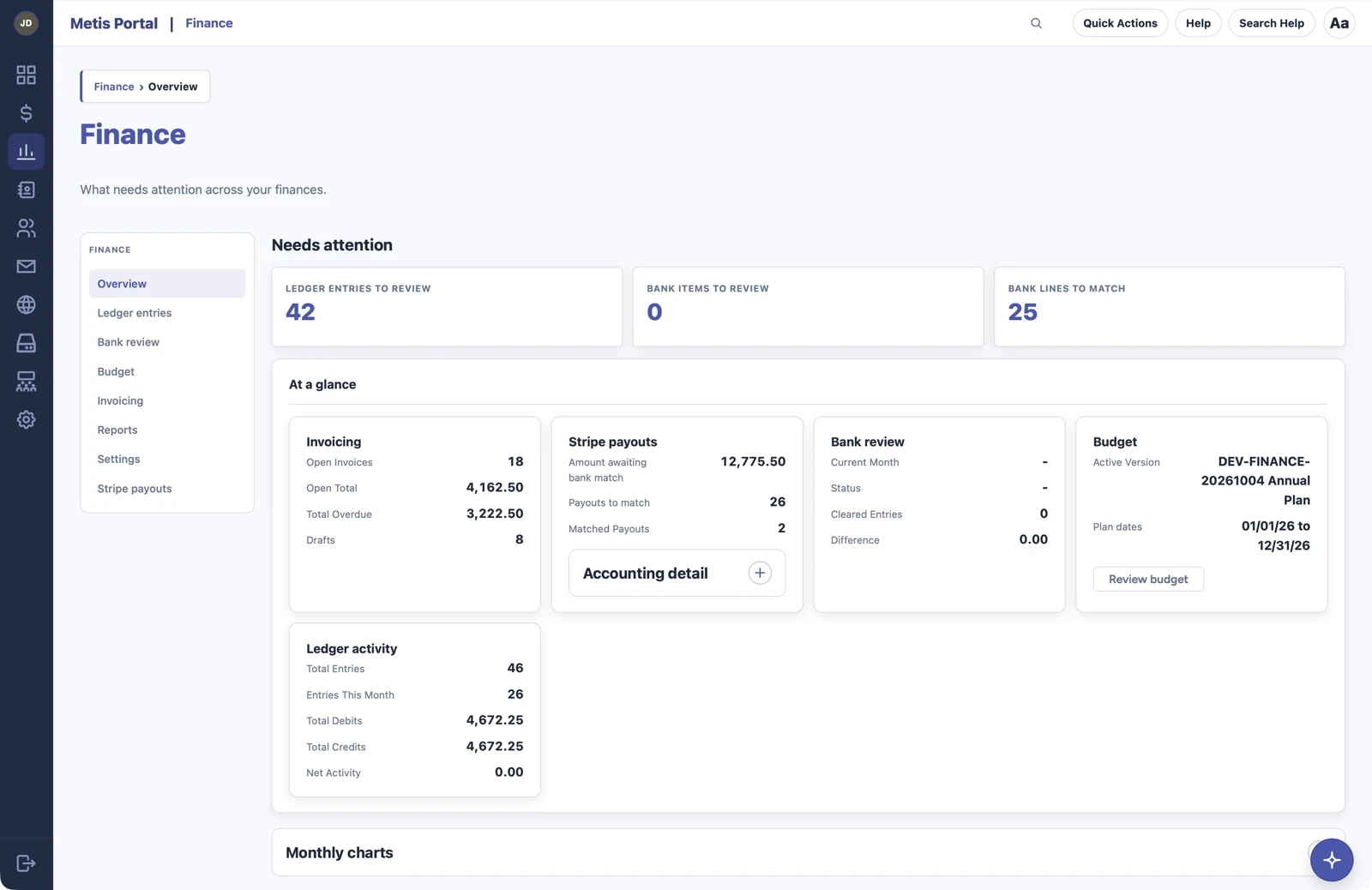
Screenshots show the approved development build with sample records.
Good to know
Finance supports everyday oversight by boards and treasurers. Access follows module permissions, presentation follows the shared UI Kit, and Donations context appears only when that module is available. This page describes the approved development revamp; it does not announce a production release.